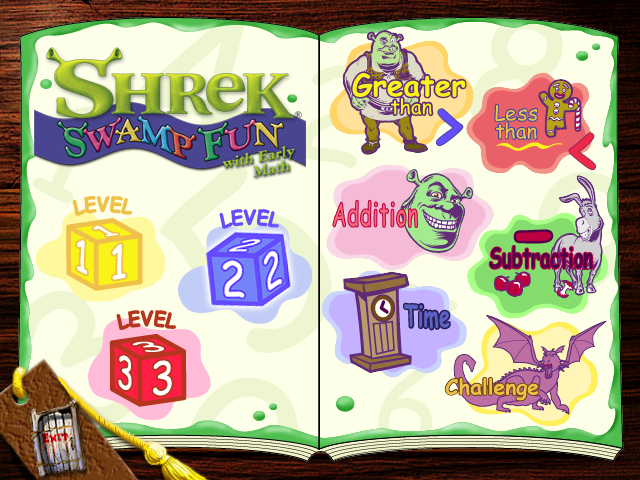
While trawling through my local CEX on the weekend I stumbled across a few Shrek games. Now, the importance of this is that Shrek games are a bit of a meme in my household, so I picked up Shrek Super Party for GameCube for the price of £28 but the one I didn't buy was a PC CD-ROM title called Shrek: Swamp Fun with Early Math.
Upon arriving home we have a quick game of Shrek Super Party and I decide I'll download a copy of Swamp Fun. I grab a copy from https://www.old-games.com and load it up.
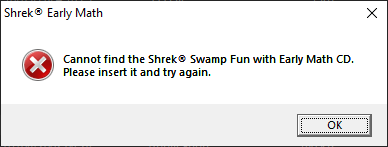
I have 2 options at this point, I can plug in my external CD burner and burn a CD or I can look to patch the CD protection. Obviously, I decide on the latter and this is that story. As this isn't something I had done before my first action is to see what possible windows API or system calls can be used in conjunction with this type of check. Yes, I could have gone straight to strings but treat every exercise as a learning exercise.
A few of the answers I got from google and its subsequent results are:
- GetDriveTypeA
- GetFileAttributes
- GetDiskFreeSpace
I fire up Ghidra and after analysing the file I have a look at the Symbol Tree for the functions.
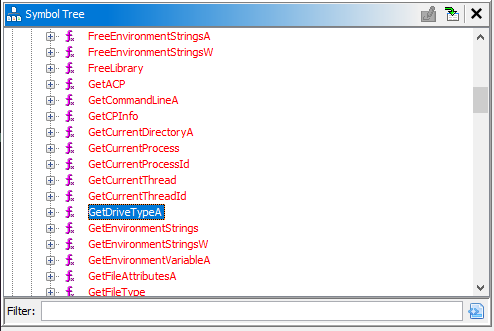
GetDriveTypeA is indeed used and here is the code snippet for the function
uint FUN_00404f9d(void)

{
  DVar2 = GetLogicalDriveStringsA(0x1ff,local_408);
  if ((DVar2 == 0) || (uVar3 = FUN_00442c65(0xe3,(LPSTR)local_104), (char)uVar3 == '\0')) {
    UVar8 = 0x132;
  }
  else {
    lpRootPathName = local_408;
    if (local_408[0] != '\0') {
      do {
        UVar8 = GetDriveTypeA(lpRootPathName);
        if (((UVar8 == 5) &&
            (BVar5 = GetVolumeInformationA
                               (lpRootPathName,(LPSTR)local_208,0x104,(LPDWORD)0x0,(LPDWORD)0x0,
                                (LPDWORD)0x0,(LPSTR)0x0,0), BVar5 != 0)) &&
           (uVar4 = FUN_0046caf0(this,local_208,local_104), uVar4 == 0)) break;
        uVar6 = 0xffffffff;
        uVar4 = 0;
        pCVar7 = lpRootPathName;
        do {
          if (uVar6 == 0) break;
          uVar6 = uVar6 - 1;
          cVar1 = *pCVar7;
          pCVar7 = pCVar7 + 1;
        } while (cVar1 != '\0');
        lpRootPathName = lpRootPathName + ~uVar6;
      } while (*lpRootPathName != '\0');
      if (*lpRootPathName != '\0') {
        return CONCAT31((int3)(uVar4 >> 8),1);
      }
    }

}
Before we take the easiest possible option, lets at least try to understand the code. After the variables are declared GetLogicalDriveStringsA() is called. This generates a list of all drive letters however, if there are no drives, UVar8 is set and passed to FUN_0040470d which returns an error message of
An error has occured; please reinstall Shrek® Swamp Fun with Early Math.
If that check is passed the returned array is iterated through. Each item in the array is passed to GetDriveTypeA() and if the drive type is equal to 5, further checks are performed.
Checking the documentation at https://learn.microsoft.com/en-us/windows/win32/api/fileapi/nf-fileapi-getdrivetypea we see the return values in each scenario. So we now know the further checks are performed if the drive type is DRIVE_CDROM. This makes sense consider what we are doing. If the drive is a CD-ROM then that information is passed to GetVolumeInformationA(). I can't tell exactly what checks this is doing statically but a lot of information is returned, feel free to check out the documentation on the Microsoft website.
At 00414c94 the CD_Check function is ran, however, at 00414c6c. There is something pushed at 00414c6c called CDRequired. For now however, we can likely modify the JZ (Jump if Zero) instruction to JMP and just bypass the whole check
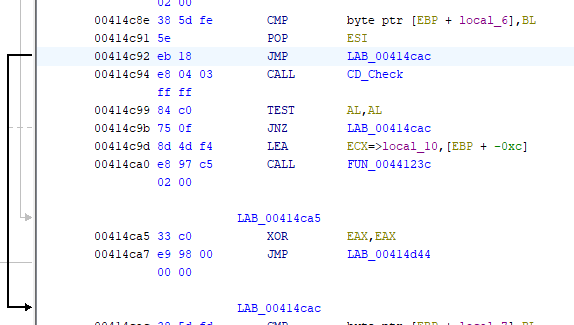
This should now completely bypass the CD_Check and with any luck load the game.
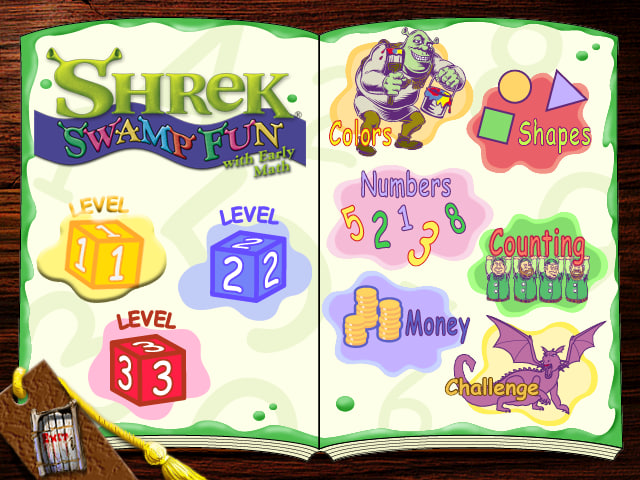
There we have it. Let's learn math with Shrek.

For a little bonus let's do it slightly differently. The following code snippet, which is part of the snippet above, checks if the drive type is CD-ROM, then checks for the disks name, which in this case is ShrekEM. We could name a USB key or hard drive to ShrekEM to pass the check with a slight modification.
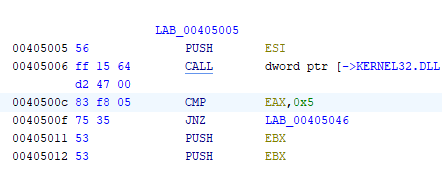
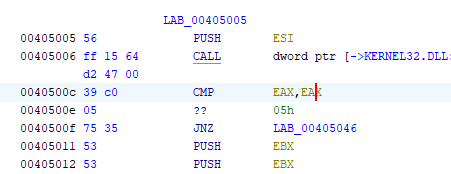
We can patch out the instruction at 0040500c so it always returns true as follows.
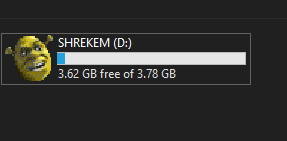
Next I give a USB key the name ShrekEM (and the lovely icon from the disk).
And once again we are treated to the joys of Shrek teaching us math. Not only have we learned some reverse engineering skills but we have learned some math, what a day!